
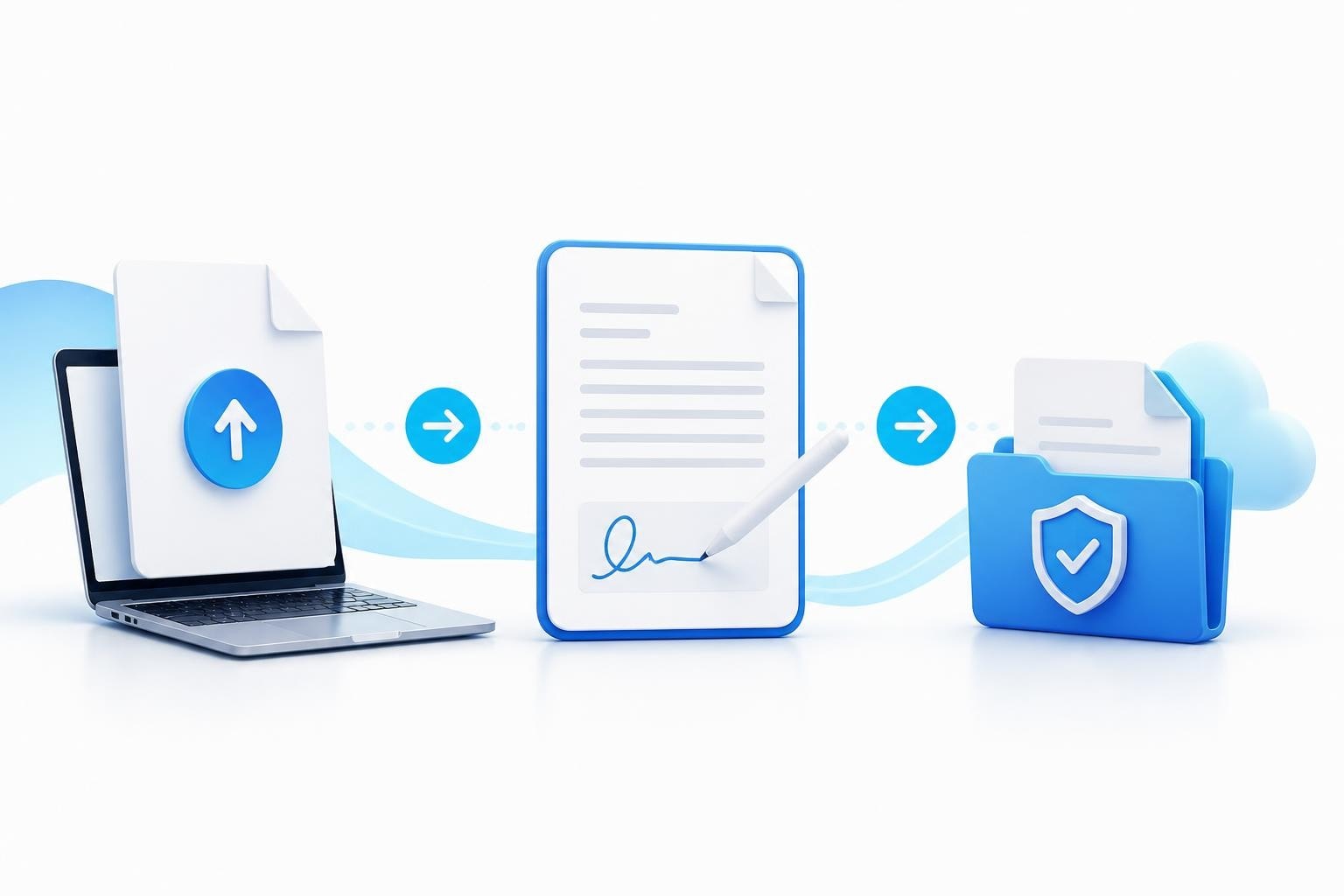
When you're running a creator agency, the ability to e sign PDFs efficiently determines how quickly you can onboard new models, close contracts, and maintain compliance. Every hour spent chasing wet signatures or re-scanning documents is an hour not spent growing your roster. For agencies managing 15, 25, or 50+ models, a reliable electronic signature workflow isn't optional-it's the foundation of scalable operations.
Why Electronic Signatures Matter for Creator Agencies
The difference between a three-day onboarding process and a three-hour one often comes down to how you handle contracts. Traditional paper-based workflows require printing, scanning, emailing back and forth, and storing physical copies. When a model is ready to sign and you're stuck waiting on postal mail, you risk losing momentum or watching them sign with a competing agency.
Electronic signatures eliminate these bottlenecks entirely. A model can review your management agreement on their phone, sign it from anywhere, and have both parties receive a fully executed copy within minutes. This speed matters especially when you're competing for talent in markets where multiple agencies are pursuing the same creators.
Legal Foundation and Compliance
Before implementing any signature solution, you need to understand the legal framework. The E-SIGN Act requirements establish that electronic signatures carry the same legal weight as handwritten ones, provided certain conditions are met. Your models must demonstrate clear intent to sign, give informed consent to conduct business electronically, and both parties must retain accessible records.
The enforceability of your contracts depends on meeting these standards consistently. When you e sign PDFs for model agreements, you're creating legally binding documents that will hold up if disputes arise about commission splits, exclusivity terms, or early termination clauses.

Setting Up Your PDF Signature Workflow
Building a reliable system to e sign PDFs requires more than just picking software. You need a complete workflow that handles document preparation, signature collection, verification, and storage.
Document Preparation Standards
Start with clean, properly formatted PDFs. Your model agreements, independent contractor forms, and compliance documents should include:
- Clear signature fields positioned logically at the end of each section requiring authorization
- Initial boxes for critical clauses like exclusivity, commission structure, and payment terms
- Date fields that auto-populate to create an audit trail
- Version numbers to track which contract template was used
The formatting matters because models often review these documents on mobile devices. Dense blocks of text without clear signature areas create confusion and delay completion.
Signature Collection Process
When you send a document for signature, the process should follow a consistent sequence:
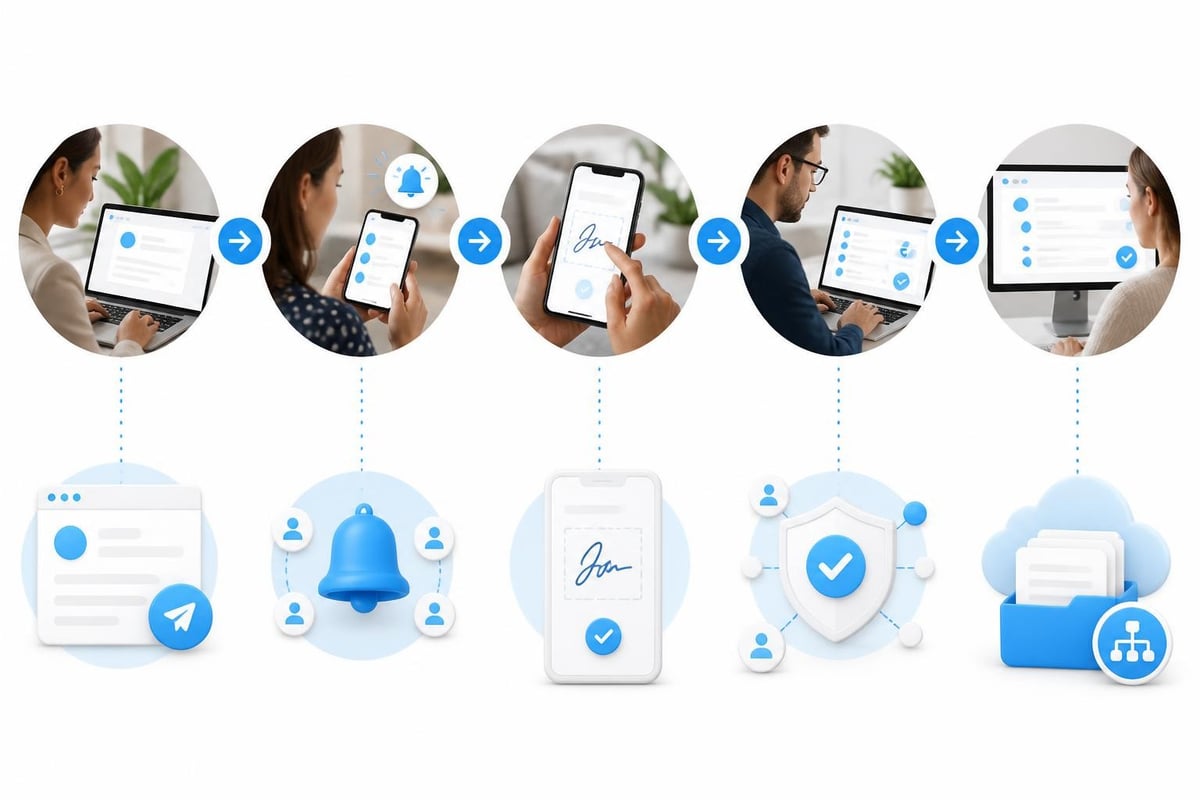
- Upload the unsigned PDF to your signature platform
- Assign signature fields to the appropriate parties (model, agency representative, witness if required)
- Set signing order if multiple parties need to sign sequentially
- Add email verification to confirm the signer's identity
- Include optional fields for model ID upload or age verification documents
- Send for signature with clear instructions and deadline
For creator agencies specifically, you'll often need models to upload additional documents alongside the contract-government ID for age verification, banking details for payouts, and social media handle verification. Your signature workflow should accommodate these attachments without requiring separate email exchanges.
Compliance Considerations for Adult Content Agencies
Creator agencies operate in a compliance-sensitive environment where proper documentation prevents significant legal and financial risk. When you e sign PDFs for model onboarding, you're establishing the documented proof that you verified age, obtained proper consents, and established clear contractual terms.
Required Documentation Elements
Every signed contract package should include:
| Document Type | Purpose | Retention Period |
|---|---|---|
| Management Agreement | Establishes agency relationship and terms | Duration of relationship + 7 years |
| ID Verification | Proves age compliance (18 U.S.C. § 2257) | Permanent |
| Payment Authorization | Authorizes commission deduction | Duration of relationship + 7 years |
| Content Rights Agreement | Clarifies IP ownership and usage | Permanent |
| Tax Forms (W-9 or W-8) | Supports 1099 reporting requirements | 7 years from last payment |
The legal validity of PDF signatures depends on maintaining these records in their original electronic format with intact metadata. Don't convert signed PDFs to images or other formats that strip the digital signature data.
Audit Trail Requirements
When platform compliance teams or legal counsel request proof of proper onboarding, you need more than just a signed PDF. Your system should capture:
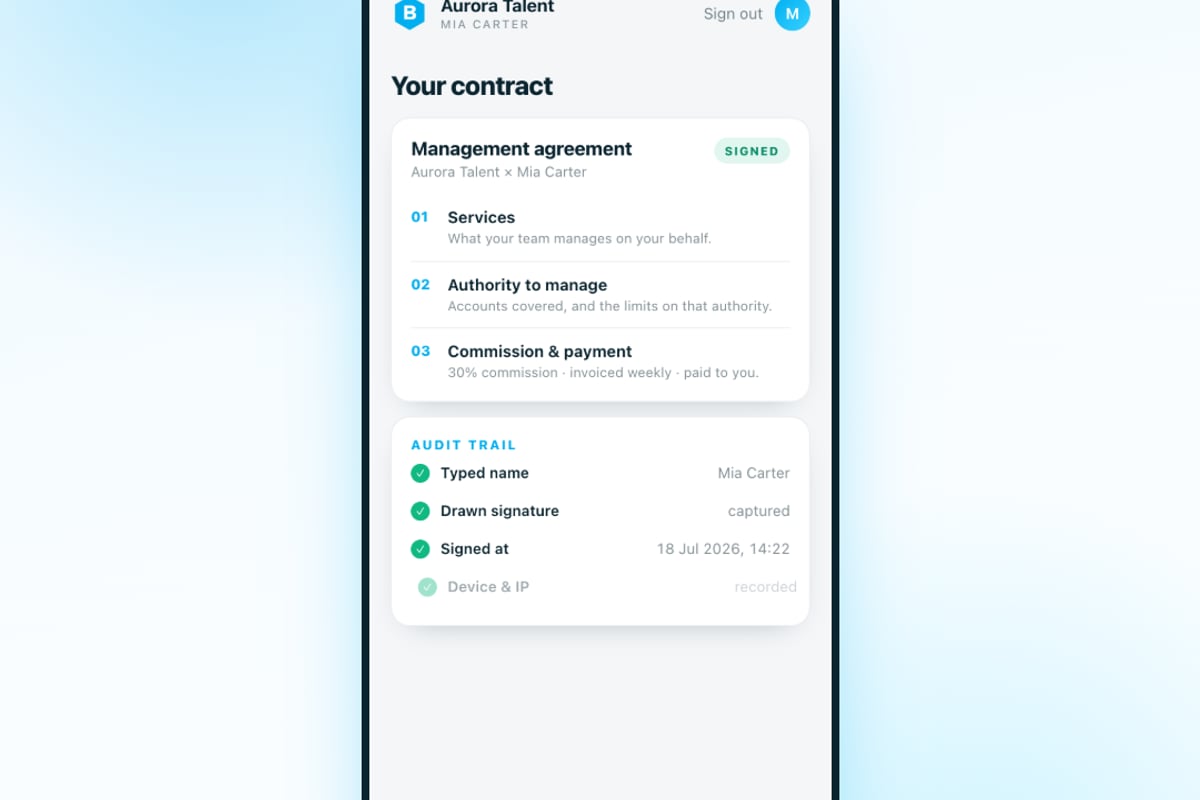
- IP address and device type used for signing
- Timestamp for each signature action
- Email address verification
- Any declined or abandoned signature requests
- Complete view history showing when the document was opened and reviewed
This audit trail becomes critical evidence if a model later claims they didn't understand the terms or weren't properly onboarded. Understanding the legal framework for e-signatures in the United States helps you build workflows that satisfy both contract law and industry-specific regulations.

Integration with Agency Operations
The real value of electronic signatures emerges when they integrate seamlessly with your broader agency management system. Standalone signature tools create administrative burden-you're manually tracking which models have signed, following up on pending documents, and transferring information between systems.
For agencies managing more than 15 models, this fragmentation becomes unsustainable. You need signatures to trigger downstream processes automatically. When a model completes their onboarding contract, your system should:
- Create their profile in your model database
- Generate their first invoice template
- Assign them to their account manager
- Schedule their first content planning session
- Send welcome materials and platform access
BIGROS handles this integration natively, connecting contract signature directly to model activation without manual data entry. The Creator Agency Operating System processes everything from enquiries through onboarding, contracts, invoices, and live P&L on a single screen-your team manages talent while the platform handles the paperwork.
Workflow Automation Examples
Here's how signature completion can trigger automatic actions:
Model Signs Management Agreement → System creates model profile + assigns unique ID + sends payment details form + schedules compliance check-in
Model Submits Payment Details → System generates first invoice + creates payout schedule + sends tax form reminder
Tax Form Signed → System marks model as fully compliant + notifies account manager + enables first payout processing
This automation eliminates the gap between "contract signed" and "model actively earning." The faster you move from signature to activation, the better your model retention and satisfaction.
Common Implementation Mistakes
Even agencies that understand the importance of electronic signatures often stumble during implementation. Avoiding these pitfalls saves significant time and compliance headaches.
Mistake 1: Using Consumer-Grade Tools for Business Documents
Free signature apps designed for personal use lack the security, compliance features, and integration capabilities business contracts require. They often fail to meet e-signature best practices around access controls, tamper detection, and certificate-based signatures.
Your model agreements contain sensitive financial terms and personal information. The signature platform must provide:
- Role-based access limiting who can send, view, or modify documents
- Encryption both in transit and at rest
- Tamper-evident seals that show if a PDF was altered after signing
- Signer authentication beyond simple email confirmation
- Long-term validation ensuring signatures remain verifiable years later
Mistake 2: Inconsistent Document Versions
When different team members send slightly different contract templates, you create version control chaos. Six months later when you need to verify what a specific model agreed to, you're comparing three similar-but-different PDFs trying to determine which was actually signed.
Establish a single source of truth for each document type. When legal counsel updates your management agreement, deprecate the old version immediately and ensure everyone uses the updated template. Version numbering in the footer makes this trackable.
Mistake 3: Neglecting Mobile Experience
Over 70% of creator agency models will review and sign contracts on mobile devices. If your PDFs aren't mobile-optimized, you'll see high abandonment rates and frustrated follow-up messages.
Test your signature workflow on actual phones, not just desktop browsers. Check:
- Font sizes remain readable without zooming
- Signature fields work with finger touch, not just mouse clicks
- Documents load quickly even on cellular connections
- The entire process completes without switching to desktop
Mistake 4: Poor Follow-Up Systems
Sending a contract for signature without a systematic follow-up process guarantees some models will forget or get distracted. You need automated reminders at appropriate intervals-24 hours after sending, then every 48-72 hours until signed or explicitly declined.
Track your signature request completion rates. If fewer than 80% of sent contracts get signed within 72 hours, your process has friction. Common causes include unclear instructions, documents that seem too long or complex, or poorly timed sends (like Friday evenings when models won't review until Monday).
Optimizing Signature Speed and Completion Rates
The difference between agencies that onboard quickly and those that struggle often comes down to reducing friction in the signature process. Small optimizations compound significantly at scale.
Reduce Decision Paralysis
When you send five documents simultaneously-management agreement, payment form, tax form, content guidelines, and house rules-models feel overwhelmed and delay starting. Instead, send documents sequentially:
- Primary management agreement (most important, send first)
- Payment and tax forms (sent after primary agreement is signed)
- Supplementary policies (sent during first week of active management)
This staging improves completion rates because each step feels manageable. Models also understand the priority order-they can't get paid until the primary agreement is signed, which motivates completion.
Pre-Fill Known Information
Don't make models type information you already have. If they submitted their details through your lead intake system, pre-populate those fields in the signature documents:
- Full legal name
- Email address
- Phone number
- Primary content platform username
- Start date
Models only need to review for accuracy and sign. This reduces the perceived effort and eliminates transcription errors.
Clear Visual Hierarchy
Guide the eye to what matters. Use bold text for critical terms like commission percentages, exclusivity periods, and termination notice requirements. Add marginal notes or tooltips explaining complex clauses in plain language.
For example, instead of just "Agency shall retain 30% of Creator's gross platform earnings," add a note: "This means if you earn $10,000 in a month, you receive $7,000 and the agency receives $3,000 for management services."
Security and Data Protection
When you e sign PDFs containing sensitive personal information, Social Security numbers, banking details, and income projections, you're handling data that requires significant protection. A security breach affecting model information damages trust, violates various regulations, and potentially exposes your agency to liability.
Encryption Standards
All documents should use AES-256 encryption at rest and TLS 1.3 for transmission. This isn't optional for agencies handling financial and identity documents. Your signature platform should also support:
- Password-protected PDFs for documents containing especially sensitive information
- Expiring access links that become invalid after signing or after a set time period
- Watermarking that embeds recipient information to trace unauthorized sharing
- Download restrictions preventing models from sharing signed contracts publicly
Access Control Policies
Limit who can access signed model contracts within your agency. Not every team member needs to view financial terms. Implement role-based permissions:
| Role | Access Level | Justification |
|---|---|---|
| Agency Owner | Full access to all documents | Overall responsibility |
| Compliance Officer | Full access to all documents | Legal/regulatory oversight |
| Account Manager | Access to their assigned models only | Operational necessity |
| Content Team | No access to contracts | Not required for role |
| Chatting Staff | No access to contracts | Not required for role |
This compartmentalization limits exposure if an employee account is compromised or if team members leave and join competitors.
Backup and Disaster Recovery
Your signed contracts represent legal proof of your relationship with each model. Losing these documents could prevent you from enforcing commission agreements or defending against wrongful termination claims. Implement redundant storage:
- Primary storage in your signature/document platform
- Secondary backup in encrypted cloud storage (separate provider)
- Tertiary backup on secure local/offline storage updated monthly
Test your recovery process quarterly. Can you actually retrieve and verify a signed contract from two years ago? If not, your backup strategy isn't working.
Frequently Asked Questions
Can models legally sign contracts entirely through electronic signatures without ever using physical paperwork?
Yes, electronic signatures are legally valid for model management contracts under the E-SIGN Act, provided you meet the requirements for intent, consent, and record retention. There's no legal requirement for physical signatures on these agreements. However, ensure you maintain the original signed PDFs with intact digital signature certificates-don't just save screenshots or printed copies.
What happens if a model claims they never signed a contract that shows their electronic signature?
This is where your audit trail becomes critical. A properly implemented e-signature system captures the IP address used for signing, the timestamp, the device type, proof that the document was viewed before signing, and email verification. This evidence typically defeats claims of non-signature. The binding nature of e-signatures relies on maintaining this supporting data alongside the signed document itself.
Do we need witnesses or notarization for creator management contracts?
Generally no. Most creator management agreements don't require witnesses or notarization to be enforceable. However, check your specific state's requirements and consult with legal counsel about your particular contract structure. Some agencies add optional witness signature fields for additional verification on high-value exclusive management deals, but this isn't typically mandatory.
How long must we retain signed electronic contracts?
Retain model management agreements for the duration of your relationship plus seven years after termination. For age verification documents and content rights agreements, permanent retention is recommended given ongoing compliance requirements. Tax-related documents like W-9 forms should be kept for seven years from the last payment. Understanding E-SIGN Act compliance requirements helps establish proper retention policies.
Can we modify signed contracts by e-signing amendments?
Yes, contract amendments can be executed electronically using the same signature process as the original agreement. The amendment should reference the original contract date and clearly state which specific terms are being modified. Both parties must sign the amendment, and it should be stored alongside the original contract as part of the complete agreement package.
Best Practices Checklist
Before rolling out your electronic signature workflow, verify you've addressed these critical elements:
- Selected a signature platform that meets security and compliance standards for financial documents
- Created standardized templates for all contract types with proper version control
- Established clear signing sequences (which documents go out in what order)
- Built in identity verification appropriate to your risk level
- Configured automatic reminders for incomplete signature requests
- Set up proper access controls limiting who can view signed contracts
- Implemented encrypted backup storage with tested recovery procedures
- Integrated signature completion with downstream onboarding workflows
- Created mobile-optimized document formats tested on actual phones
- Documented your retention policy and automated expiration where appropriate
Regular audits of your signature workflow help catch problems before they compound. Monthly reviews should check completion rates, average time-to-sign, abandonment points, and any patterns in support questions about the signing process.
Integration with Broader Agency Systems
The ability to e sign PDFs efficiently matters most when it connects to everything else in your agency operations. Isolated signature tools create more work-someone has to manually check for new signatures, update your model roster, notify the accounting team, and trigger onboarding steps.
For agencies past the 15-model mark, this manual coordination becomes a primary constraint on growth. You can't scale to 30 or 50 models when someone spends hours each week transferring information between your signature tool, spreadsheets, invoicing software, and communication platforms.
The solution is treating signature collection as one step in an automated workflow. When you properly connect your systems, a completed signature triggers everything that needs to happen next without manual intervention. This is how agencies that have built proper systems break through growth ceilings that limit operator-dependent shops.
Consider how signatures connect to invoicing. When a new model signs their agreement, your system should automatically generate their first invoice template using the commission split specified in their contract. When they sign their payment authorization form, it should trigger creation of their payout profile with the correct banking details. No one manually transcribing information between systems.
Electronic signature workflows separate agencies that scale smoothly from those perpetually chasing paperwork. When you can move a model from inquiry to fully onboarded and earning within hours instead of days, you win more competitive recruiting situations and create better first impressions. BIGROS connects contract signatures directly to your full operating system-when models sign, they're automatically activated across enquiries, compliance tracking, invoicing, and payroll without manual data entry. Built by operators for operators who need to run lean while scaling past 15-20 models.