
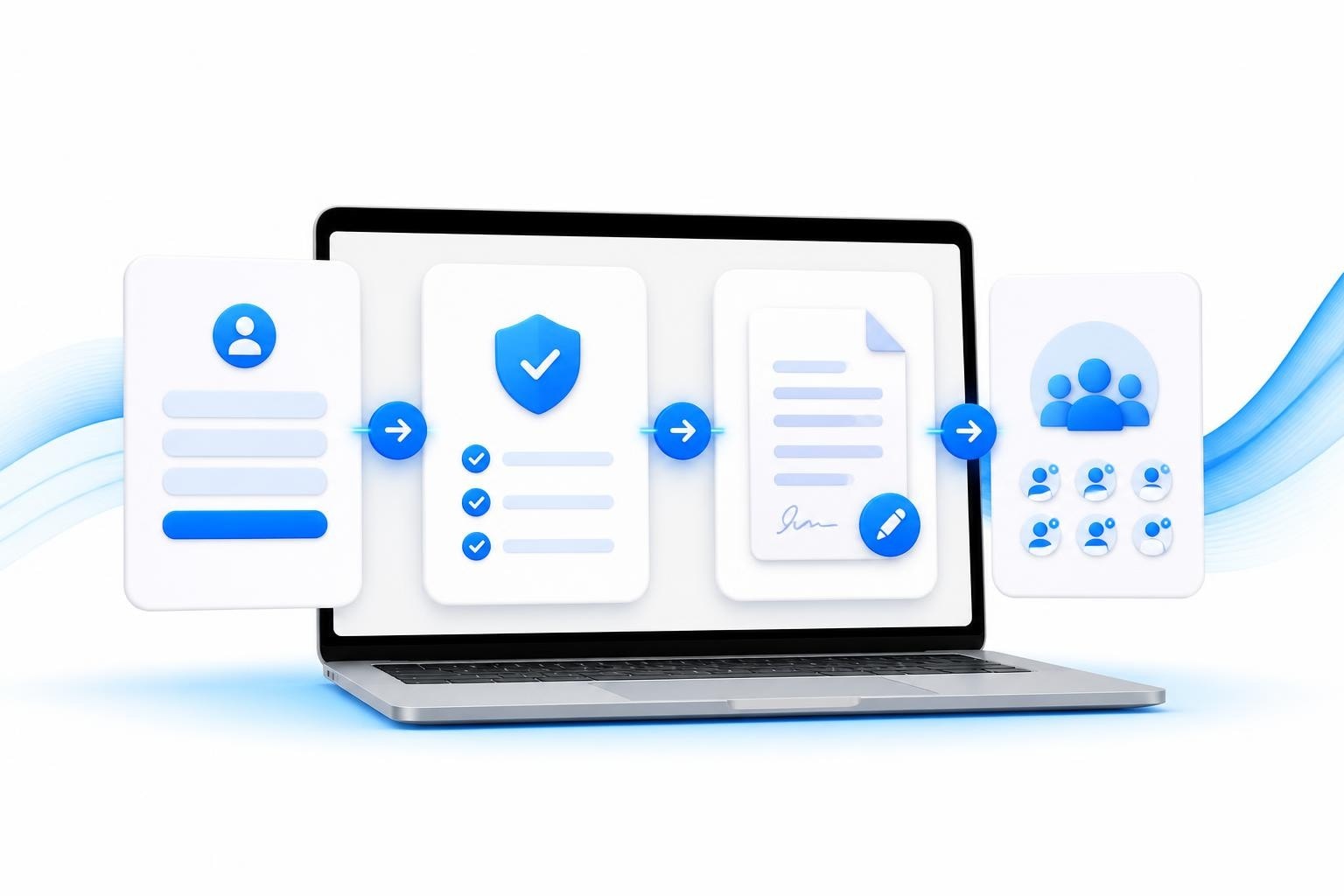
Every creator agency knows the challenge: you need to onboard talent quickly, but compliance, contracts, and paperwork slow everything down. The right app for sign up transforms this bottleneck into a streamlined process that scales with your roster. When you're managing fifteen, twenty, or fifty models, a thoughtful sign-up flow separates agencies that scale smoothly from those drowning in admin work.
Why Your Sign-Up Experience Determines Roster Growth
First impressions matter. A clunky sign-up process loses you talent before they even reach your compliance stage. Models expect the same smooth experience they get from consumer apps. If your intake form demands too much upfront or feels unprofessional, creators bounce to competitors.
The numbers tell the story. Agencies report losing 30-40% of interested models during poorly designed onboarding flows. Most drop off when faced with unclear requirements, technical glitches, or forms that don't work properly on mobile devices.
Mobile-First Design Matters More Than You Think
Most creators discover agencies through Instagram or Twitter, scrolling on their phones. Your app for sign up must work flawlessly on mobile screens. Best practices for mobile sign-up forms emphasize touch-friendly buttons, autofill support, and minimal typing requirements.
Key mobile considerations:
- Form fields that expand properly on smaller screens
- Social sign-in options to reduce manual data entry
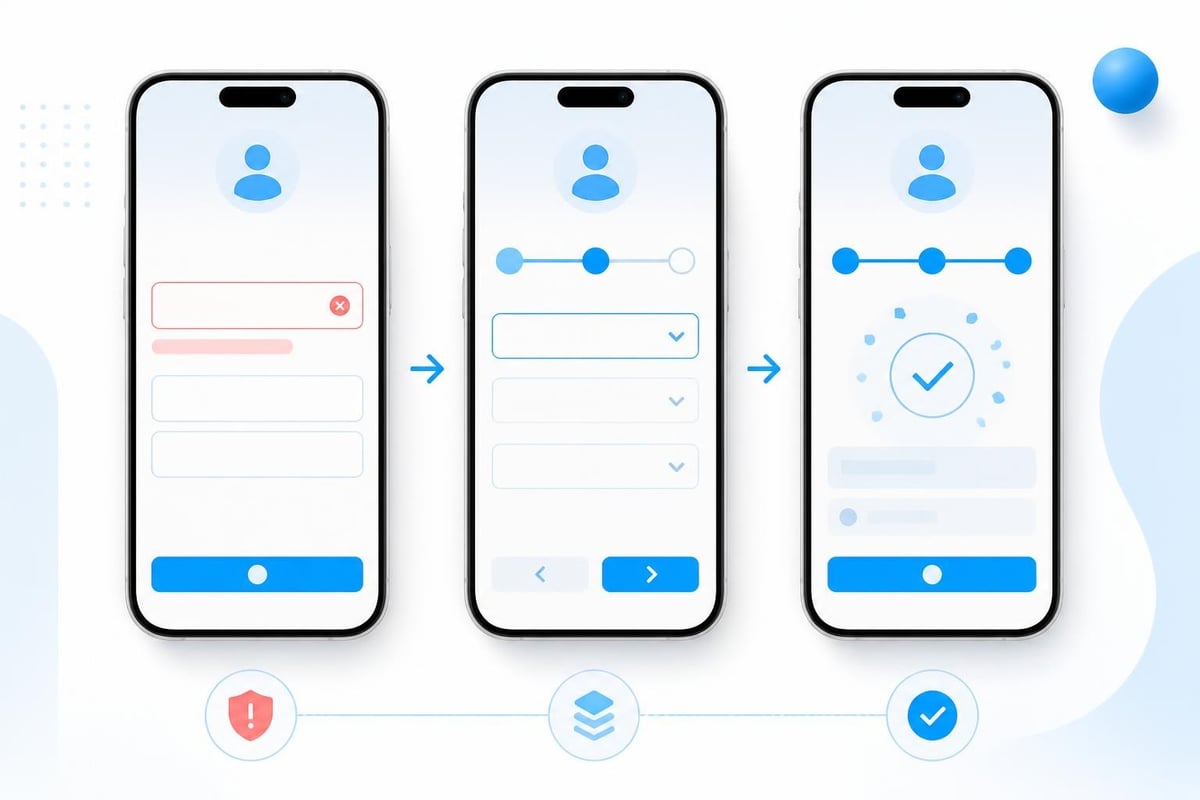
- Progress indicators showing how many steps remain
- Auto-save functionality so models don't lose information if interrupted
Test your sign-up flow on actual phones, not just desktop browsers. What looks clean on your laptop often breaks on a 6-inch screen.
Building Trust Through Your Sign-Up Architecture
Creator agencies operate in a trust-scarce environment. Models have heard horror stories about agencies that ghost them, mishandle payments, or lack proper contracts. Your sign-up process must immediately signal professionalism and legitimacy.
| Trust Element | Implementation | Impact |
|---|---|---|
| SSL Certificate | HTTPS on all pages | Prevents browser warnings |
| Privacy Policy | Linked before submission | Shows compliance awareness |
| Clear Timeline | "We'll respond within 24 hours" | Manages expectations |
| Brand Consistency | Logo, colors, professional copy | Reinforces legitimacy |
Information Architecture That Converts
Break your sign-up into logical stages rather than one overwhelming form. The best app for sign up uses progressive disclosure: collect basic information first, then move to detailed requirements only after initial interest is confirmed.
Recommended stage breakdown:
- Initial interest capture - Name, email, social handle (30 seconds max)
- Qualification screening - Current following, content type, goals (2-3 minutes)
- Compliance prerequisites - Age verification, ID upload, banking details (5-7 minutes)
- Contract review - Agency agreement, terms acceptance (varies)
This staged approach keeps completion rates high while still gathering everything you need. Models who complete stage one are pre-qualified leads worth investing time in. Understanding your lead funnel helps you identify where prospects drop off and optimize accordingly.
Technical Requirements for Agency-Grade Sign-Up
Generic form builders don't cut it for creator agencies. You need specific functionality that handles the unique compliance, verification, and workflow requirements of this industry.
Must-Have Features
Age and identity verification integration tops the list. Your app for sign up must verify every model is legally able to work and matches their claimed identity. Manual verification creates bottlenecks and compliance risks. Automated ID scanning tools connect directly to your sign-up flow, flagging issues before you invest time in a prospect.
Document collection workflows need to be bulletproof. Models will upload contracts, IDs, banking forms, tax documents, and more. Your system should automatically categorize uploads, check for common errors (blurry photos, wrong document types), and track what's still missing. When onboarding models at scale, manual document tracking becomes impossible.
E-signature capabilities eliminate the back-and-forth of PDF downloads and uploads. The best solutions let models review and sign agency contracts directly in the sign-up flow. Integration with e-sign contract functionality means you can have fully executed agreements within minutes of approval.
Conditional logic separates amateur tools from professional ones. Your app for sign up should show or hide fields based on previous answers. If a model indicates they're outside the US, your form should automatically request different tax documentation and payment details.
Data Security Cannot Be Negotiable
Creator agencies handle sensitive personal information: government IDs, tax forms, banking details, personal addresses. A data breach doesn't just damage your reputation; it exposes you to legal liability and regulatory action.
Design, compliance, and security considerations must be built in from day one. Encrypt data in transit and at rest. Limit staff access to sensitive information through role-based permissions. Maintain audit logs showing who accessed what information and when.
Security checklist for sign-up systems:
- Two-factor authentication for admin access
- Regular security audits and penetration testing
- Automated backup systems with point-in-time recovery
- GDPR and CCPA compliance features (data deletion, export)
- PCI compliance for any payment card data collection

Optimizing Conversion at Each Stage
Even with a solid app for sign up, conversion optimization never stops. Small improvements compound when you're processing hundreds of applications monthly.
Form Field Optimization
Every field you require reduces completion rates. Ruthlessly audit what you actually need at sign-up versus what you can collect later. Sign-up form best practices emphasize asking for the minimum viable information to move forward.
Essential at sign-up:
- Legal name and contact information
- Age verification (18+ confirmation)
- Social media presence (for evaluation)
- Current content platform experience
Defer until after acceptance:
- Detailed banking and tax forms
- Emergency contact information
- Detailed availability and work preferences
Smart field defaults and autofill reduce friction. Pre-populate country codes based on IP address. Use address lookup APIs so models can enter a postal code instead of typing full addresses. Small conveniences add up.
Error Handling That Doesn't Frustrate
Nothing kills conversions faster than unclear error messages. "Invalid input" tells a model nothing useful. "Phone number must include area code" gives clear direction for fixing the problem.
Effective error strategies:
- Inline validation that checks fields as users complete them
- Clear, specific messages explaining exactly what's wrong
- Visual indicators (red borders, warning icons) drawing attention
- Persistent display until the error is resolved
- Help text or examples for complex requirements
Save partial progress automatically. Models often start applications on mobile during breaks, then want to finish later on desktop. Your app for sign up should let them pick up exactly where they left off.
Integration With Your Broader Agency System
Sign-up isn't isolated from the rest of your operations. The data collected feeds into compliance verification, contract generation, payment setup, and team assignments. Disconnected systems create manual work and errors.
Modern creator agencies need sign-up applications that connect directly to their broader agency system. When a model completes sign-up, their information should automatically populate your client management database, trigger compliance workflows, and alert relevant team members.
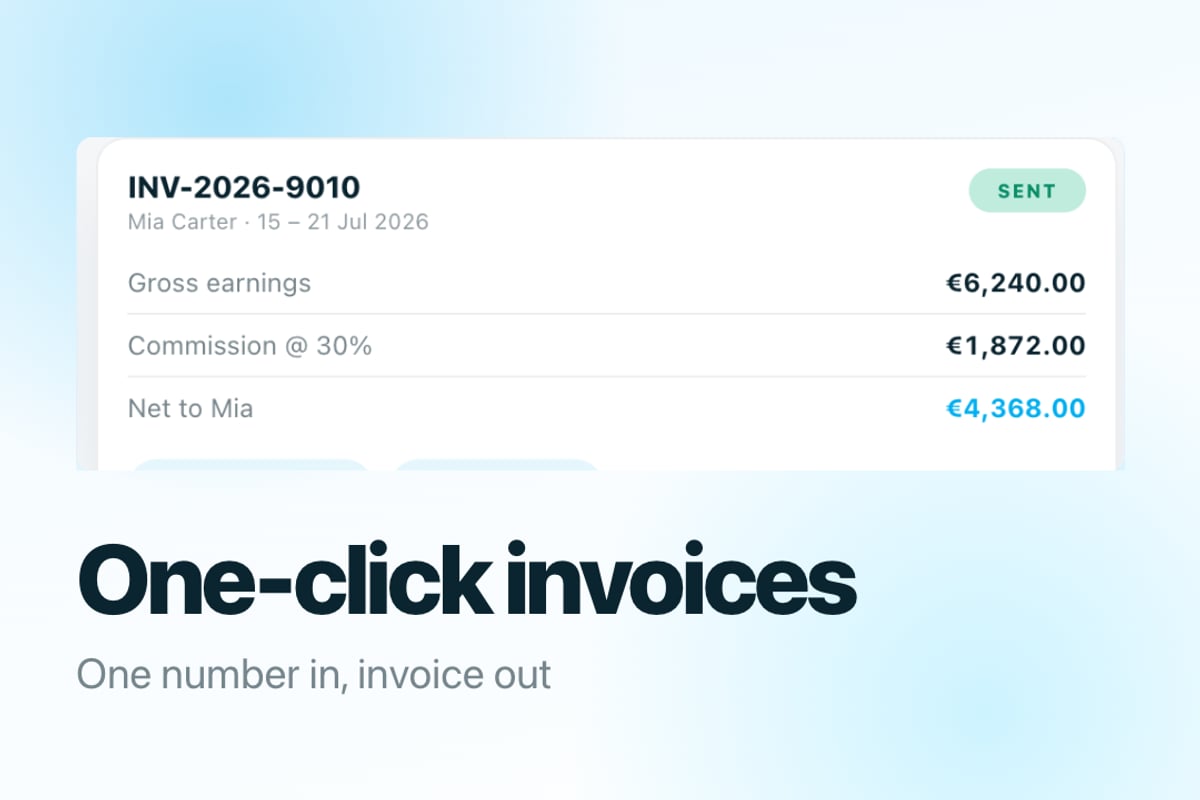
BIGROS demonstrates this integrated approach. When a prospective model completes their application, the system automatically creates their profile, routes documents to compliance review, generates draft contracts, and notifies the onboarding team. No manual data entry, no switching between tools, no forgotten steps.
Workflow Automation Saves Hours Daily
Calculate how much time your team spends on post-sign-up tasks. Someone reviews the application, copies information into your management system, creates a folder for documents, generates a contract, sends follow-up emails, and schedules the first call. Multiply that by dozens of applications monthly.
Automation opportunities:
| Manual Task | Automated Alternative | Time Saved |
|---|---|---|
| Copy application data | Auto-sync to CRM | 5-10 min/model |
| Send welcome email | Triggered template | 2-3 min/model |
| Create document folder | Auto-generated structure | 3-5 min/model |
| Assign to handler | Round-robin distribution | 2-3 min/model |
| Schedule follow-up | Calendar integration | 3-5 min/model |
Over a month with fifty applications, automation saves thirty to forty hours of admin work. That's nearly a full-time employee just handling sign-up logistics.
Testing and Iterating Your Sign-Up Flow
Launch isn't the finish line. The best app for sign up evolves based on real user behavior and conversion data. Track metrics at each stage to identify problems and opportunities.
Key Metrics to Monitor
Completion rate by stage shows where models abandon the process. If 80% start but only 40% finish, you have a serious problem. Drill down to find which specific step causes the drop.
Time to complete indicates whether your form is too long or confusing. Models should finish initial sign-up in under five minutes. Anything longer suggests you're asking too much too soon.
Mobile versus desktop conversion often reveals device-specific issues. If mobile completion rates trail desktop by 20%+ points, your mobile experience needs work.
Error rate by field highlights confusing or problematic requirements. If 60% of applicants get errors on the phone number field, either your validation is too strict or your instructions are unclear.
A/B Testing Drives Continuous Improvement
Test variations systematically. Try different button copy, field order, or visual designs. High-converting sign-up form examples provide inspiration, but your specific audience may respond differently.
Run tests for at least 100-200 completions per variation to reach statistical significance. Small sample sizes produce misleading results. Document what you test and what you learn to build institutional knowledge.
Compliance Considerations for Creator Sign-Up
Creator agencies face unique regulatory requirements. Your app for sign up must collect and verify information that proves legal eligibility and age compliance.
Age Verification Requirements
Federal law requires age verification for adult content creators. Your sign-up process must definitively prove every model is at least eighteen years old. Self-attestation alone doesn't meet legal standards.
Compliant verification methods:
- Government-issued ID upload with automated verification
- Third-party age verification service integration
- Database checks against public records
- Biometric matching between ID photo and selfie
Store verification records indefinitely. Regulations require you to prove compliance even years later. Your app for sign up should maintain tamper-proof audit trails showing when and how each model was verified.
For more on maintaining proper records, review our compliance checklist specific to creator agencies.
Tax and Payment Information
Collect W-9 forms (for US creators) or W-8BEN (for international) during sign-up. You'll need this information to process payments and file tax documents. However, consider collecting it after acceptance rather than upfront to reduce initial friction.
Banking details require extra security. Use PCI-compliant payment processors rather than storing account numbers directly. Many agencies integrate Stripe Connect or similar platforms that handle sensitive financial data securely.
Accessibility and Inclusive Design
Your app for sign up should work for creators with disabilities. Beyond being the right thing to do, accessibility compliance protects you from legal risk and expands your potential talent pool.
Accessibility requirements include screen reader compatibility, keyboard navigation, sufficient color contrast, and clear error messaging. Tools like WAVE or axe can audit your forms for common issues.
Basic accessibility requirements:
- Proper HTML labels for all form fields
- Keyboard-only navigation support
- Alt text for images and icons
- ARIA attributes for dynamic content
- High contrast between text and backgrounds
- Resizable text without breaking layout
Test your sign-up flow with actual assistive technology. What seems accessible often breaks when someone tries to navigate with a screen reader or voice control.
Common Sign-Up Flow Mistakes
Even experienced agencies make predictable errors that tank conversion rates. Avoid these common pitfalls.
Asking for too much upfront tops the list. You don't need a model's tax ID, emergency contact, and banking details before you've even decided to work together. Collect what you need to make a decision, then gather the rest.
Unclear next steps leave models wondering if their application was received. Send immediate confirmation with a realistic timeline. "We review applications within 48 business hours and will email you by Friday" sets clear expectations.
Broken mobile experiences frustrate creators who apply on their phones. If your form requires desktop, state that clearly upfront rather than letting models waste time on a broken experience.
No progress indicators make long forms feel endless. Show how many steps remain and what information is still needed. Models are more likely to complete a process when they can see the finish line.
Generic error messages don't help models fix problems. "Please check your entries" forces users to hunt for issues. Highlight specific fields and explain exactly what's wrong.
FAQ
How long should a creator sign-up process take?
Initial application should complete in under five minutes to maintain reasonable conversion rates. Detailed onboarding including compliance documents typically requires fifteen to thirty minutes total, but break this into multiple sessions rather than one marathon form.
What's the ideal number of form fields for sign-up?
Research suggests seven to ten fields maximizes completion while gathering necessary information. Anything beyond twelve fields should be reserved for later onboarding stages after you've confirmed mutual interest.
Should we require social media connection during sign-up?
Yes, but make it optional for initial interest capture. You need to verify following and content quality before acceptance, but requiring connection before models know if you're interested creates unnecessary friction. Collect handles first, then request actual platform access for finalists.
How do we handle international applicants?
Build region detection into your app for sign up to show appropriate fields. International models need different tax forms, payment methods, and potentially language options. Trying to force everyone through a US-centric flow frustrates international talent.
What information can legally be requested during sign-up?
You can request any information relevant to the business relationship, but be prepared to justify why it's necessary. Age verification, identity confirmation, and tax documentation are clearly defensible. Requesting unnecessary personal information raises privacy concerns and potentially violates data protection regulations.
A thoughtful app for sign up transforms creator onboarding from administrative burden into competitive advantage. The agencies that scale past twenty, thirty, or fifty models all share one trait: systems that make growth sustainable rather than overwhelming. BIGROS gives creator agencies that foundation, handling sign-up, compliance, contracts, and ongoing operations in one integrated platform built specifically for the unique demands of managing creator talent.